
CKAD Certified Kubernetes Application Developer Exam Topics and Questions
These Linux Foundation Certified Kubernetes Application Developer (CKAD) exam topics are organized according to official exam domains to help candidates quickly verify coverage and focus on assessment rather than theory. Each domain is paired with topic-wise CKAD sample questions that reflect how objectives are tested in the actual exam. This structure enables efficient review, targeted self-assessment, and rapid identification of weak areas when preparing for the Linux Foundation Certified Kubernetes Application Developer certification exam.
Let's Practice Free Linux Foundation CKAD Questions Aligned with Official Exam Topics
Services and Networking is where abstract Kubernetes theory meets the hard reality of whether your application can actually be reached. At 20% of the exam, it tests three tightly related skills: controlling traffic between Pods with NetworkPolicies, exposing workloads through Services, and routing external traffic through Ingress. Get any one of these wrong in a live cluster and nothing downstream works, which is exactly the pressure the exam replicates. How Services and Networking is tested This topic is examined through...
Services and Networking is where abstract Kubernetes theory meets the hard reality of whether your application can actually be reached. At 20% of the exam, it tests three tightly related skills: controlling traffic between Pods with NetworkPolicies, exposing workloads through Services, and routing external traffic through Ingress. Get any one of these wrong in a live cluster and nothing downstream works, which is exactly the pressure the exam replicates.
How Services and Networking is tested
This topic is examined through hands-on tasks in a live cluster, not multiple-choice recall. You will be asked to create or fix objects and the grader checks whether the cluster behaves correctly when it runs against your work. That means a typo in a selector or a missing port field produces a zero for that task, even if your YAML looks reasonable at a glance.
NetworkPolicy tasks reward candidates who can write precise ingress and egress rules without leaving unintended gaps. The most common loss point is a policy that blocks more than intended, or one that never applies because the podSelector is wrong.
Service tasks reward knowing when ClusterIP, NodePort, and LoadBalancer are each appropriate, and being able to wire a Service to the right Pods under time pressure. Ingress tasks reward constructing host- and path-based rules and attaching the right backend. Candidates lose marks by confusing the Ingress resource with the Ingress controller, or by writing rules that never match because the pathType is set incorrectly.
The ITExamsTopics practice test for the CKAD lets you check your NetworkPolicy and Ingress coverage before sitting the real exam. The free demo gives you a sample of the question style, and a full bank lets you spot any pattern of misses across this topic before they cost you marks.
The task below targets one of the three networking skills examined in this topic. Work through it as you would under exam conditions.
Refer to Exhibit.

Task:
1) Create a secret named app-secret in the default namespace containing the following single key-value pair:
Key3: value1
2) Create a Pod named ngnix secret in the default namespace.Specify a single container using the nginx:stable image.
Add an environment variable named BEST_VARIABLE consuming the value of the secret key3.
At 25%, this is the heaviest topic on the exam. Where Services and Networking tests a narrow set of object types, this topic spans eight distinct areas, from cluster extension with CRDs and Operators through to fine-grained Pod security. The breadth is the trap: candidates who are strong on ConfigMaps and Secrets sometimes arrive underprepared on ServiceAccounts or SecurityContexts, and the exam covers all of it. – Cluster extension and access control CustomResourceDefinitions and Operators extend what the Kubernetes API...
At 25%, this is the heaviest topic on the exam. Where Services and Networking tests a narrow set of object types, this topic spans eight distinct areas, from cluster extension with CRDs and Operators through to fine-grained Pod security. The breadth is the trap: candidates who are strong on ConfigMaps and Secrets sometimes arrive underprepared on ServiceAccounts or SecurityContexts, and the exam covers all of it.
– Cluster extension and access control
CustomResourceDefinitions and Operators extend what the Kubernetes API can model. For the exam, you need to know how to discover existing CRDs in a cluster and interact with the resources they define, not build a controller from scratch. The distinction matters: the task will likely ask you to use an Operator-managed resource, not to write one.
Authentication, authorization, and admission control sit beneath every other task on this topic. RBAC is the layer you will touch most often. Knowing how Roles, ClusterRoles, RoleBindings, and ClusterRoleBindings relate to each other, and which scope each applies to, is the difference between a working permission and one that silently fails. Admission control appears less frequently, but understanding that webhooks intercept requests before objects are persisted helps you reason about why a correctly written manifest might still be rejected.
– Resource management and configuration
Requests and limits control what a container is guaranteed and what it is allowed to consume. ResourceQuotas apply those constraints at the namespace level. The exam tests whether you can set these correctly on a Pod or Deployment spec, and whether you understand what happens when a container exceeds its memory limit versus its CPU limit: one is throttled, the other is killed. That difference is examinable.
ConfigMaps are the standard mechanism for injecting non-sensitive configuration. You need to be fluent in both ways of consuming them: as environment variables and as mounted files. The same two consumption patterns apply to Secrets, with the added requirement that you know how to create a Secret from literal values or from a file without encoding mistakes. Candidates often lose marks by creating the object correctly but wiring it to the container incorrectly.
– Identity and Pod-level security
ServiceAccounts give Pods an identity within the cluster. The exam will ask you to create a ServiceAccount, attach it to a Pod, and understand what that identity can and cannot do when combined with a RoleBinding. A common mistake is assuming the default ServiceAccount carries the permissions needed for a task: it almost never does.
SecurityContexts and Linux capabilities are the other sharp edge here. A SecurityContext can be set at the Pod level or the container level, and container-level settings override Pod-level ones. Tasks may ask you to run a container as a non-root user, drop all capabilities, or add a specific one. Candidates who treat this as a YAML-copying exercise rather than understanding the precedence rules tend to produce configurations that compile but do not behave as required.
How Application Environment, Configuration and Security is tested
The width of this topic means the exam can draw tasks from any of its eight areas in a single sitting. You cannot afford to skip any of them. Tasks are performance-based: the grader checks cluster state, not your intentions.
Items in this topic reward precision at the spec level. A Secret mounted as a volume must appear at the right path. A SecurityContext setting must be on the right object (Pod or container) to take effect. A ServiceAccount must be both created and referenced in the Pod spec before it does anything.
The most common loss pattern is partial credit: candidates who create the correct object but fail to connect it. They create a ConfigMap but reference the wrong key name in the env field, or they add a RoleBinding but point it at the wrong ServiceAccount. Reading the task requirement twice before writing anything is not wasted time here. RBAC tasks in particular reward working through the chain: what identity, what verb, what resource, what scope.
Working through the full ITExamsTopics question bank under timed conditions is the fastest way to find which of the eight sub-areas in this topic you are weakest on. A single read-through of the docs will not show you where you hesitate; timed practice will.
The task below draws from one of the eight areas in this topic. Treat the time pressure as part of the exercise.
Refer to Exhibit.
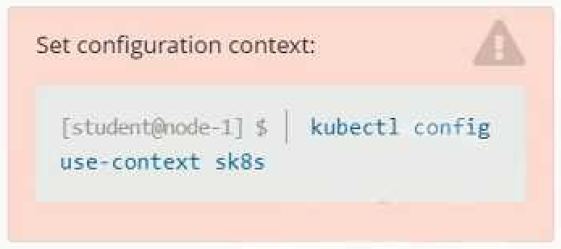
Context
A project that you are working on has a requirement for persistent data to be available.
Task
To facilitate this, perform the following tasks:
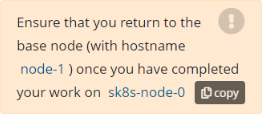
* Create a file on node sk8s-node-0 at /opt/KDSP00101/data/index.html with the content Acct=Finance
* Create a PersistentVolume named task-pv-volume using hostPath and allocate 1Gi to it, specifying that the volume is at /opt/KDSP00101/data on the cluster's node. The configuration should specify the access mode of ReadWriteOnce . It should define the StorageClass name exam for the PersistentVolume , which will be used to bind PersistentVolumeClaim requests to this PersistenetVolume.
* Create a PefsissentVolumeClaim named task-pv-claim that requests a volume of at least 100Mi and specifies an access mode of ReadWriteOnce
* Create a pod that uses the PersistentVolmeClaim as a volume with a label app: my-storage-app mounting the resulting volume to a mountPath /usr/share/nginx/html inside the pod

After the configuration-heavy demands of the previous topic, Application Observability and Maintenance shifts the focus to keeping a running application healthy and diagnosable. At 15%, it is the lightest weighted topic on the exam, but candidates underestimate it because the skills it tests are procedural and speed-dependent. Knowing that a liveness probe exists is not the same as being able to configure one correctly under time pressure while also reading container logs to find out why a Pod keeps restarting....
After the configuration-heavy demands of the previous topic, Application Observability and Maintenance shifts the focus to keeping a running application healthy and diagnosable. At 15%, it is the lightest weighted topic on the exam, but candidates underestimate it because the skills it tests are procedural and speed-dependent. Knowing that a liveness probe exists is not the same as being able to configure one correctly under time pressure while also reading container logs to find out why a Pod keeps restarting.
– Keeping the API and applications healthy
API deprecations affect every CKAD candidate who has learned Kubernetes from tutorials written even a year or two ago. The exam cluster runs a specific version, and manifests that use a removed apiVersion will be rejected. You need to know how to identify the current API version for a resource and how to update a manifest that references a deprecated one. The kubectl convert plugin and the API deprecation guide are the tools for this; the exam rewards knowing which group and version a resource now lives in.
Probes and health checks are where you turn intent into enforcement. A liveness probe restarts a container that has deadlocked. A readiness probe keeps traffic away from a container that is not yet ready to serve. A startup probe gives slow-starting containers time to initialise without being killed prematurely. The exam tests all three, and the most common error is confusing liveness with readiness or setting thresholds that cause unnecessary restarts.
– Observation and diagnosis
The built-in CLI tools are kubectl logs, kubectl describe, kubectl exec, kubectl top, and kubectl get with useful flags like -o wide or --previous. The exam gives you a broken or misbehaving workload and expects you to use these tools to find the problem and fix it. Speed matters. Candidates who reach for the docs to remember flag syntax lose time they cannot recover.
Container logs are the first place to look when a Pod is running but behaving incorrectly. Knowing how to retrieve logs from a specific container in a multi-container Pod, and how to retrieve logs from a previously terminated container with --previous, is directly testable. Debugging tasks reward a systematic approach: check events, check logs, check the spec. Candidates who jump straight to editing the manifest without reading the error message often introduce a second problem while trying to fix the first.
How Application Observability and Maintenance is tested
Tasks in this topic are diagnostic: you are given a workload that is broken or incomplete, and you must identify the cause and apply a fix. The grader checks the end state. An explanation of what you found earns nothing; only a corrected cluster does.
Probe tasks reward writing the correct probe type with realistic thresholds. Items do not accept a probe that exists but fires at the wrong time or checks the wrong endpoint. Deprecation tasks reward updating a manifest to a current apiVersion without altering the object's behaviour.
The debugging tasks are where time management matters most. Candidates who cannot quickly interpret kubectl describe output, particularly the Events section, spend far too long on a single task. The strongest candidates read the event, form a hypothesis, make one targeted change, and verify. Candidates who lose marks here typically either misread the failure reason or make a correct diagnosis but apply the fix to the wrong object. kubectl top requires the metrics-server to be running; if it is not available, that is itself a diagnostic finding.
The ITExamsTopics PDF for the CKAD lets you review observability question styles offline before you move to timed practice. Seeing the item format early means you spend exam time on diagnosis, not on decoding what the task is asking.
The task below puts you in front of a misbehaving workload. Apply the same diagnostic approach you would use in a live cluster.
Application Deployment carries 20% of the exam and tests a skill set that sits between raw Kubernetes knowledge and the tooling layer above it. You need to understand how Deployments manage rollouts at the object level, know when and how to implement blue/green or canary strategies using Kubernetes primitives, and be able to operate Helm and Kustomize without treating them as optional extras. Candidates who skipped Helm because it felt like a separate tool often discover that cost on exam...
Application Deployment carries 20% of the exam and tests a skill set that sits between raw Kubernetes knowledge and the tooling layer above it. You need to understand how Deployments manage rollouts at the object level, know when and how to implement blue/green or canary strategies using Kubernetes primitives, and be able to operate Helm and Kustomize without treating them as optional extras. Candidates who skipped Helm because it felt like a separate tool often discover that cost on exam day.
– Deployment mechanics and update strategies
Rolling updates are the default Deployment behaviour, and the exam tests whether you understand the controls that govern them: maxSurge, maxUnavailable, and the relationship between a Deployment's revision history and the kubectl rollout commands. You need to be able to trigger a rollout, pause it, check its status, and roll it back. Knowing the commands is necessary but not sufficient; you also need to understand what state the cluster is in at each stage.
Blue/green and canary strategies are not built-in Deployment modes. They are patterns you implement using Kubernetes primitives, typically by controlling which Pods a Service selects via labels. The exam rewards candidates who can wire up a second Deployment and shift traffic to it by editing a selector, or who can run a canary by adjusting replica counts across two Deployments. Candidates who expect a single flag or field to do this work will not find one.
– Package management with Helm and Kustomize
Helm tasks on the CKAD focus on consuming existing charts, not writing new ones. You need to be able to add a repository, search it, install a chart, override values at install time, and upgrade or roll back a release. The exam does not ask you to author a chart from scratch, but it may ask you to inspect an installed release or check what values are in effect.
Kustomize is built into kubectl and is tested at the level of applying an overlay to a base. You need to understand how a kustomization.yaml file references resources and patches, and how to generate the final manifests with kubectl kustomize or apply them directly with kubectl apply -k. The most common error is applying the base directory instead of the overlay, which produces output that ignores the environment-specific changes the task requires.
How Application Deployment is tested
Deployment tasks are graded on cluster state. A rollout that is paused when the task says it should be complete, or a Helm release installed with the wrong values, earns no credit.
Rolling update items reward knowing the kubectl rollout subcommands by heart. Pausing, resuming, and undoing a rollout each have their own syntax, and the exam does not prompt you. Candidates lose marks by confusing kubectl rollout undo with kubectl rollout restart, which do different things.
Strategy tasks reward understanding that label selectors on Services are the traffic-routing mechanism, not a separate load-balancing configuration. The strongest responses adjust labels and selectors deliberately rather than by trial and error.
Helm items reward the correct use of --set and --values flags, and knowing the difference between helm upgrade and helm upgrade --install. Kustomize items reward recognising which directory to target. Both tools have a predictable failure mode where the candidate applies the right command to the wrong path, producing no error but also no intended change.
The ITExamsTopics practice test covers Helm, Kustomize, and deployment strategy tasks across the full question bank. Using it lets you verify your coverage of every sub-area in this topic rather than discovering a gap under real exam pressure.
The task below covers one deployment mechanism from this topic. Note the specific tool or strategy it targets before you start.
Application Design and Build is the foundational topic for the CKAD, even though it appears last in the list. The decisions it covers, how you package an application, which workload resource you choose, how you structure a multi-container Pod, and how you handle storage, shape everything else you do in the exam. At 20%, it demands the same attention as Services and Networking and Application Deployment, and the skills here appear as dependencies inside tasks from other topics too. –...
Application Design and Build is the foundational topic for the CKAD, even though it appears last in the list. The decisions it covers, how you package an application, which workload resource you choose, how you structure a multi-container Pod, and how you handle storage, shape everything else you do in the exam. At 20%, it demands the same attention as Services and Networking and Application Deployment, and the skills here appear as dependencies inside tasks from other topics too.
– Container images and workload selection
Building and modifying container images is tested at the Dockerfile level. You need to be able to write or edit a Dockerfile, build an image with a specific tag, and understand how layers affect the final image. The exam may ask you to modify an existing Dockerfile to change the base image, add a file, or set an entrypoint. Getting the build command and the tag format right under time pressure is where candidates lose marks.
Choosing the right workload resource is a decision point that many candidates underestimate. A Deployment manages stateless replicated workloads. A DaemonSet runs exactly one Pod per node. A CronJob schedules work on a time expression. A Job runs work to completion. The exam rewards picking the type that matches the requirement in the task, not defaulting to a Deployment for everything. Reading the task description carefully enough to identify the scheduling or replication requirement is half the work.
– Multi-container patterns and storage
Multi-container Pod patterns are tested by name and by function. A sidecar container augments the main container, typically by handling logging, proxying, or syncing. An init container runs to completion before any app container starts, making it the right choice for setup tasks that must finish before the application is ready. An ephemeral container is used for live debugging and is attached to a running Pod without restarting it. The exam rewards knowing which pattern fits the described requirement, and then writing the correct spec for it.
Volumes connect containers to storage. Ephemeral volumes, particularly emptyDir, exist only for the lifetime of the Pod and are commonly used to share data between containers in the same Pod. Persistent volumes survive Pod restarts and require a PersistentVolumeClaim to bind to a PersistentVolume. The exam tests both: you need to know how to define a volume, mount it into a container at the right path, and, for persistent storage, write a PVC with the correct accessMode and storage request.
How Application Design and Build is tested
Tasks here are build-and-configure in nature. The grader checks whether the image exists with the right tag, whether the Pod runs with the right structure, and whether volumes are mounted where the task specifies.
Image-building tasks reward getting the docker build or buildah build syntax right, including the build context path and the -t flag. A missing tag or a wrong context directory produces an image that cannot be referenced in the subsequent Pod spec, cascading the error.
Workload selection tasks reward reading the requirement precisely. Candidates who write a Deployment when the task calls for a DaemonSet produce a running cluster object that earns no credit, because the grader checks the kind field.
Multi-container tasks reward placing each container definition in the correct section of the Pod spec. Init containers go under initContainers, not containers. Getting that wrong means the init logic runs as a sidecar instead, which changes the Pod's behaviour entirely.
Volume tasks reward matching the volume name in the volumes list to the volumeMounts entry exactly. A name mismatch is silent at apply time but the mount never appears.
The ITExamsTopics practice test lets you work through Application Design and Build questions before you sit the exam, so you can check your Dockerfile fluency and volume-wiring accuracy in a low-stakes setting rather than discovering weaknesses on the day.
The task below focuses on one of the four design and build skills in this topic. Pay attention to which workload type or pattern the scenario requires.
Ready to Start Practicing?
Access all questions and start your exam preparation journey
Upgrade to Full CKAD Exam Questions 🚀


